
A+ World Map Editor Sandbox
App4JoyTrivia
4.2189.00 Reviews
- Version
- 2.15-build-20260826.1310
- Installs
- 500.00K
- Age Rating
- Everyone
Screenshots
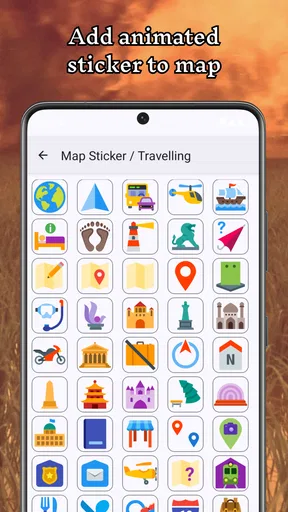
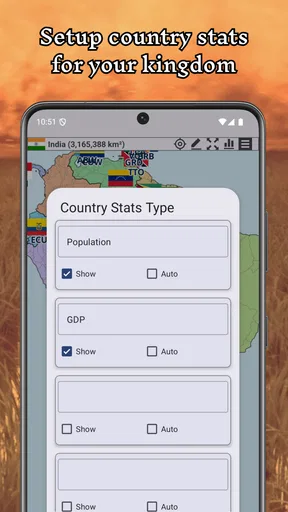
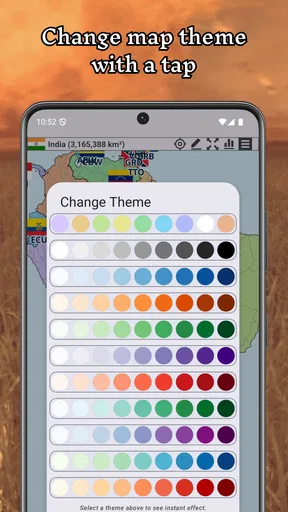
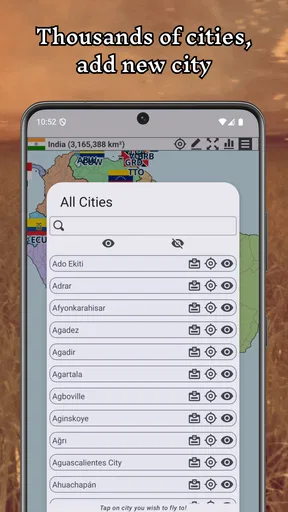
Our Review of A+ World Map Editor Sandbox
 Analysis by Appyee
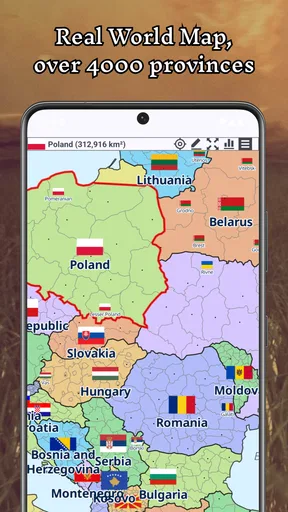
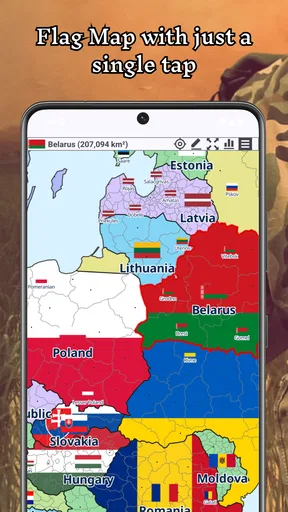
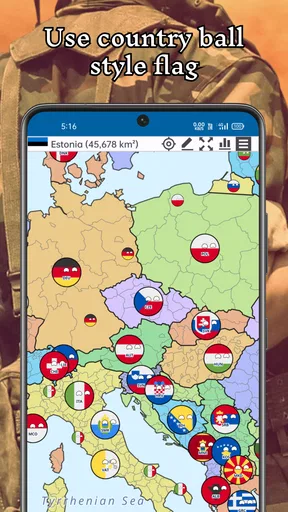
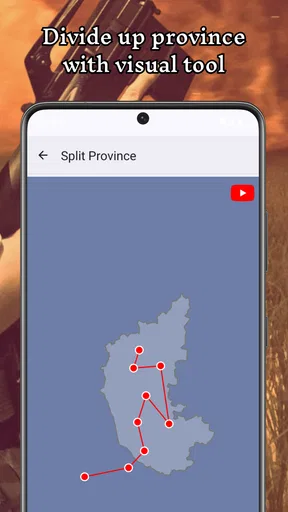
I approached A+ World Map Editor Sandbox as a trivia game first, but it quickly felt like something broader: a geography playground where knowledge and imagination meet. The basic appeal is easy to understand. You work with a world map, adjust borders, reshape territories, and think about how different political arrangements might change history. That makes it more interesting than a standard question-and-answer quiz, especially when I want to learn through experimenting rather than simply checking whether I remember a capital.
It is made by App4Joy and offered as a free game for everyone. The store positions it around redrawing borders, rewriting history, building empires, and testing geography knowledge, but those ideas are more useful when treated as different ways to play rather than as one fixed campaign. I found the strongest part of the experience in switching between careful map observation and playful “what if?” scenarios.
The game has reached over 500 thousand installs and holds a 4.2 average from around 7 thousand ratings, which suggests that its central concept connects with a fairly wide audience. It was released on December 14, 2024, and the current build is 2.15-build-20260826.1310. Those details matter less than the practical question: does it feel comfortable to use, dependable enough for repeated sessions, and worthwhile for someone who enjoys maps but may not want a conventional strategy game?
How the map plays in everyday use
I like using the map as a small, self-set challenge rather than trying to redesign everything at once: choose a region, make one deliberate change, then pause to see whether the result still makes geographic sense. That simple rhythm keeps a casual session focused and makes it easier to pick up a new idea next time. It also highlights what matters most in a map editor: the feedback should help me notice relationships, not just produce a different-looking world.
A quick session is easy to start
My favorite way to approach it is in short bursts. I can open the game with a simple idea—combine familiar countries, imagine a different border, or test myself on a region—and begin exploring without needing to prepare a long strategy. That makes it suitable for a spare moment on a commute, during a break, or when I want something more engaging than scrolling but less demanding than a full strategy title.
The speed expectation is also shaped by the type of game this is. A map editor and geography sandbox does not need the same kind of instant reaction as a competitive action game. What matters more is whether the map remains understandable while I make changes, whether selections feel deliberate, and whether the game lets me continue thinking instead of fighting the interface. In that respect, the concept works best when I slow down and treat each change as a small puzzle.
I would not choose it for a rapid-fire quiz session where I want a constant stream of questions and immediate scoring. Its appeal comes from visual reasoning and experimentation. If you prefer conventional trivia with a clear question, four answers, and a short result screen, the map-editor approach may feel less direct. If you enjoy asking how borders affect a region, though, the extra layer gives each session more personality.
Why the editor changes the trivia experience
Traditional geography games usually reward recall: identify a country, name a capital, or locate a flag. This one encourages a different habit. I have to look at relationships between places, recognize shapes, and think about how a border redraw changes the surrounding map. That is a useful distinction for learners who know isolated facts but struggle to place countries in context.
One practical tip is to begin with regions you already understand. Starting with a familiar part of the world lets you focus on the editor itself rather than spending the whole session trying to remember basic locations. Once the controls feel natural, moving into less familiar areas becomes a more meaningful test. I also found that deliberately making a questionable border can be educational: the mistake forces me to inspect neighboring countries and notice how much geography I had been mentally simplifying.
Another useful workflow is to separate “knowledge play” from “creative play.” In the first mode, I try to preserve plausible geography and use the map to check my understanding. In the second, I treat the world as a sandbox and build an unusual empire simply because the result is interesting. Mixing both approaches prevents the game from becoming either a dry study tool or a directionless drawing exercise.
What happens during heavier map sessions
Longer sessions place different demands on the experience. When I repeatedly inspect areas, revise borders, and compare the result with the original mental picture, the main challenge is not reflexes but attention. A busy map can become visually tiring, particularly when several changes are made close together. I recommend working in small stages and pausing to inspect the whole shape before continuing. That makes it easier to understand what I have changed and reduces the chance of creating a map that no longer reflects my original idea.
The game is most satisfying when a heavy-use session has a clear purpose. I might spend several minutes trying to create a coherent alternate political map, then switch to checking whether I can still identify the countries around it. Without that goal, experimentation can become repetitive. The editor gives me freedom, but it does not automatically supply a long-term objective in the way a campaign-based strategy game does.
That trade-off is important. Players who want progression, resource management, diplomacy, or a structured empire-building system should not assume that the phrase “build empires” means a full grand-strategy simulation. Here, the attraction is the map and the thought experiment. I would recommend it to someone who enjoys constructing scenarios, not to someone looking for a deep economy or a long sequence of missions.
Stability, interruptions, and getting back into a session
For a casual map game, recovery matters almost as much as speed. I often use games like this in situations where I may need to put the phone down quickly. The best experience comes when I can return to the same idea without having to reconstruct everything mentally. I therefore advise saving or finishing a meaningful stage whenever the session reaches a point I care about, rather than making a complicated series of edits and assuming I will always be able to resume exactly there.
I cannot treat it like a competitive title that demands uninterrupted concentration. Its design is better suited to flexible play, but that also means I judge it by how clearly it communicates the current map state. If I am interrupted during a complicated edit, a clean pause and a quick visual check are more valuable than raw animation speed. This is one reason I prefer smaller experiments: they are easier to understand and recover from.
Reliability also includes knowing what kind of problem is likely to be frustrating. In a trivia game, a wrong answer is part of the challenge. In a map sandbox, an unclear selection or an accidental change can feel like a mistake in the tool rather than a mistake in my knowledge. I found it wise to make changes deliberately and review the surrounding area after each major edit. That habit reduces confusion and makes the game feel more controlled.
Older phones and practical device expectations
The minimum operating-system requirement is Android 8.0, so the game is aimed at a broad range of Android devices rather than only the newest phones. That does not guarantee identical performance across every handset. Map-heavy interfaces can feel different depending on screen size, memory, processor age, and how much else is running in the background. A newer phone is likely to feel more comfortable during extended exploration, while an older compatible device may be better suited to shorter sessions and simpler edits.
Screen size is a particularly practical consideration. A larger display gives the map more room to read and makes border relationships easier to inspect. On a compact phone, I would expect to spend more time zooming or repositioning my view, which can make detailed work less relaxing. That is not a reason to avoid the game, but it does change who will enjoy the editor most. People who like examining visual details should think about whether their device gives them enough space to do that comfortably.
Resource demands should also be judged by the game’s purpose. This is not the kind of title I would install for spectacular graphics or demanding 3D scenes. Its workload is centered on a map interface and the edits I make to it. That should make it a more sensible choice for someone who wants a thoughtful geography game without committing to a large action game, although I would still close unnecessary apps if my phone is older or already struggling with multitasking.
There is another device-related trade-off: a phone that handles ordinary trivia smoothly may still be less pleasant for detailed map work if the display is cramped. Conversely, a powerful phone does not automatically make the game deeper. Performance can improve comfort, but it cannot replace the player’s interest in geography and alternate-history ideas. The right device helps the experience; it does not define it.
How it compares with familiar alternatives
Compared with a normal geography quiz, this game gives me more room to form my own questions. Instead of waiting for a prompt about one country, I can notice a region, test my memory, and use the border editor to expose what I do and do not understand. The cost is immediacy. A quiz usually tells me exactly what to do, while this sandbox expects me to bring some curiosity of my own.
Compared with a full strategy game, it is lighter and easier to approach. I do not need to learn a large rule system before experimenting with a map. That makes it a better fit for casual players, students who want visual geography practice, and history fans who enjoy alternate scenarios. The compromise is depth: anyone seeking complex diplomacy, production chains, military planning, or a long campaign will probably find a dedicated strategy game more rewarding.
Compared with a map-learning app, the creative element is its strongest distinction. Learning is not limited to memorizing labels; I can explore how countries relate spatially and use unusual border ideas to make facts memorable. However, people who need a carefully sequenced curriculum or formal lessons may prefer an educational app built specifically around instruction. This game works better as an interactive supplement or a self-directed practice space.
Who will get the most from it
I recommend it most strongly to players who enjoy maps, history, geography trivia, and “what if?” questions. It is also a good choice for families or friends who like inventing imaginary countries and then challenging one another to identify the real-world regions involved. A teacher or parent could use it as an informal conversation starter, asking why a new border seems plausible or what geographic knowledge is needed to redraw it accurately.
One everyday scenario shows its value clearly. Imagine having ten minutes before an appointment. A conventional strategy game may be too slow to start, while a standard quiz may feel repetitive. Here, I can choose one region, make a small alternate-history change, and use the resulting map to test my memory. The session has a natural stopping point, but it can also grow into a longer exploration if I have more time.
I would skip it if my priority is fast competitive scoring, a narrative adventure, or a detailed empire-management simulation. I would also be cautious if I dislike open-ended games where the player must invent the objective. The editor can be engaging precisely because it does not force every decision, but that freedom may feel like a lack of direction to someone who wants constant rewards and clear missions.
My performance verdict
After using it as both a quick trivia diversion and a longer map experiment, I see its performance strengths as comfort and accessibility rather than spectacle. The concept does not depend on fast action, so the game has time to let me inspect a region and think. On a compatible device running Android 8.0 or later, it is a sensible low-commitment option for map-focused play, with the usual caveat that older hardware and small screens may make detailed editing less comfortable.
The heavier the session becomes, the more important my own workflow is. Small edits, frequent visual checks, and clear personal goals make the experience feel reliable and easier to resume. Trying to create a huge, complicated scenario without pausing can make the map harder to follow, even when the game itself remains usable. That is a design trade-off rather than a flaw unique to this title: open-ended editors reward patience more than speed.
It is also worth remembering that the game is free and rated for Everyone, which lowers the barrier for trying it with younger players or casual family members. The absence of a purchase decision makes experimentation easy, while the broad age rating fits the non-violent geography focus. I would still introduce it as a creative map game rather than promise a complete history lesson or a full strategy campaign.
My final view is positive, with a clear audience in mind. A+ World Map Editor Sandbox is at its best when you want to learn geography by manipulating it, not merely answering questions about it. It offers a distinctive middle ground between trivia and strategy: more active than memorization, but less demanding than managing a full empire. If you enjoy shaping borders, checking your world knowledge, and inventing alternate maps in short or medium sessions, I think it is worth installing. If you need structured progression or deep strategic systems, choose a more specialized alternative instead.
For me, the lasting value is the way a simple border change can turn into a geography lesson. I may begin by making an imaginary empire, then realize I have to understand coastlines, neighbors, and regional shapes to make the result coherent. That combination of play and self-correction gives the game a useful purpose beyond its first novelty. It is not trying to replace every trivia or strategy game, but within its map-centered niche, App4Joy has created a thoughtful and approachable sandbox.
Verdict
Strengths of A+ World Map Editor Sandbox
- Easy-to-use tools make creating custom maps accessible to beginners.
- Supports imaginative world-building without requiring coding knowledge.
- Useful for planning fictional settings, stories, and tabletop campaigns.
- Sandbox format encourages experimentation and quick design changes.
- Offline use may be convenient when creating maps without internet access.
Limitations of A+ World Map Editor Sandbox
- The interface can feel cramped on smaller phone screens.
- Large or detailed maps may become difficult to organize.
- Export and sharing options may be limited compared with desktop editors.
- Learning advanced editing features takes some trial and error.
- It may lack the polished visuals of dedicated professional mapping software.
Similar Picks in This Category
View All
Millionaire 2026 Quiz & Trivia
Quiz & Trivia Games by Submarine Apps4.5

Brain Test 2: Tricky Stories
Unico Studio4.7

Trivia Crack: Brain Quiz Games
etermax4.4

QuizzLand. Quiz & Trivia game
Quiz & Trivia Games by Mno Go Apps4.8

Brain Test: Tricky Puzzles
Unico Studio4.7

Logo Quiz
bubble quiz games4.5
Frequently Asked Questions
What is A+ World Map Editor Sandbox?
A+ World Map Editor Sandbox is a creative map-designing application that lets users build, edit, and customize fictional or realistic worlds. You can shape terrain, add regions, define borders, place labels, and organize locations according to your own ideas. It is useful for fantasy projects, strategy-game planning, alternate-history scenarios, storytelling, educational exercises, and anyone who enjoys experimenting with maps.
Do I need previous mapmaking or design experience to use it?
No previous cartography or graphic-design experience is generally required. The app is intended to provide a sandbox-style environment where beginners can experiment with map elements while more experienced users can create detailed projects. However, learning where the editing tools are located may take some time, especially when working with multiple layers, borders, labels, or complex world layouts. Starting with a small map is recommended.
What can I create and customize in the app?
The application focuses on flexible world and map creation. Depending on the available tools and version, users can work on landmasses, territories, borders, colors, names, regions, and other visual details. This makes it suitable for fictional countries, fantasy continents, political maps, role-playing campaigns, and alternate-world concepts. The final result depends on how much detail you add and how carefully you organize your design.
Can maps created with A+ World Map Editor Sandbox be saved or shared?
Saving and sharing options may depend on the device, app version, and the specific project format supported by the application. Before investing significant time in a detailed map, check how projects are stored and whether the app offers export, image saving, or sharing features. It is also wise to keep backup copies of important work, particularly after major edits or when moving projects between devices.
Is A+ World Map Editor Sandbox free to download and does it require an internet connection?
The download model and any optional purchases can vary between Android and iOS versions, so users should review the store listing before installing. Some editing functions may work offline, while features such as updates, cloud services, advertisements, or sharing could require an internet connection. Checking permissions, in-app purchase information, and device compatibility beforehand will help avoid surprises after installation.
Play our best games!


